
This post may contain affiliate links. We may receive a small commission, at no cost to you, if you make a purchase.
Read Disclosure
Introduction to Home Automation Systems
Home automation has transitioned from a futuristic dream to an accessible reality for everyone. With today’s technology, you can control nearly every aspect of your home, from lighting to appliances, with just the push of a button or a voice command. This article will guide you through how a smart remote control, combined with advanced systems like Zigbee, can transform your home into a modern, efficient space.
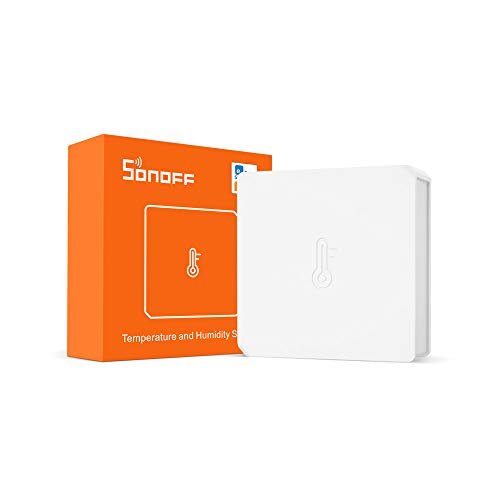
Recommendation: To gain full control over the environmental conditions in your home, check out our article on how to use a Zigbee temperature and humidity sensor. This sensor is perfect for monitoring and automatically adjusting the temperature and humidity of each room.
What is a Smart Remote Control?
A smart remote control is a device designed to simplify the management of multiple smart devices in your home. Instead of relying on multiple apps or remotes for each device, a smart remote allows you to centralize all functions into a single device. These types of controls are ideal for those seeking convenience and efficiency in their daily routines.
Common Features:
- Lighting Control: You can turn lights on, off, dim them, or even change the color of smart bulbs.
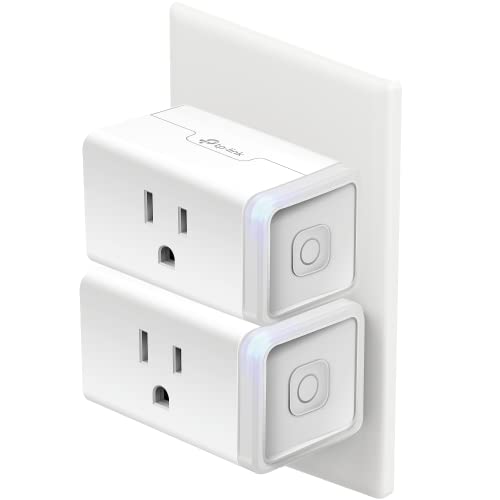
- Smart Plug Management: With just one click, you can turn on or off devices connected to smart plugs.
- Security Camera Access: Many smart remotes allow you to activate or deactivate security cameras.
- Automated Shades and Blinds: Control the opening and closing of automated blinds to adjust natural light and privacy in your home.
Recommendation: If you’re interested in automating your shades, we suggest checking out our complete guide to making your shades smart. This resource will help you understand the various options and configurations available for integrating automated shades into your smart home.
Comparison: Zigbee vs. Wi-Fi in Home Automation
Understanding the differences between Zigbee and Wi-Fi is key to making informed decisions about your home automation setup.
Zigbee: A Standard for the Smart Home
Zigbee is a wireless communication protocol designed specifically for home automation. Its unique features make it ideal for managing a large number of devices with low energy consumption.
Advantages of Zigbee:
- Low Power Consumption: Designed for devices that need to operate on batteries for extended periods.
- Mesh Network: Zigbee allows each device to act as a repeater, extending network coverage and improving reliability.
- Scalability: The Zigbee network can support up to 65,000 devices, making it ideal for large homes or setups with many smart devices.
Disadvantages of Zigbee:
- Requires a Gateway: Unlike Wi-Fi, Zigbee requires a central device (Gateway) to connect all devices to the network.
- Limited Compatibility: Not all smart devices are Zigbee-compatible, so it’s important to check before purchasing.
Wi-Fi: A Common Solution with Limitations
Wi-Fi is the most common protocol for home connectivity, mainly used for internet access and connecting devices like phones, computers, and now, smart devices.
Advantages of Wi-Fi:
- No Gateway Required: Wi-Fi devices connect directly to the router, eliminating the need for an additional Gateway.
- Universal Compatibility: Almost all current smart devices have options to connect via Wi-Fi.
Disadvantages of Wi-Fi:
- Higher Power Consumption: Wi-Fi devices typically consume more power, which can be inconvenient for battery-operated devices.
- Network Congestion: As more devices connect to your Wi-Fi network, you may experience a decrease in performance due to congestion.
- Limited Range: Wi-Fi signals can struggle to cover large areas or penetrate thick walls without repeaters.
How the Smart Remote Control Works
The smart remote control discussed in this article uses Zigbee to communicate with your devices. Here’s a detailed look at how it works and how to maximize its utility.
Basic Setup:
- Connect the Gateway: The first step is to connect the Zigbee Gateway to your router via an Ethernet cable or Wi-Fi. This Gateway is crucial as it acts as the bridge between the remote control and your devices.
- Pair the Remote Control: Once the Gateway is set up, follow the manufacturer’s instructions to pair the remote control with your smart devices. This process usually involves pressing a button on the remote control while near the Gateway.
- Program Actions: Use the corresponding app to assign specific actions to each button on the remote. For instance, you can set a button to turn on a light with one click and turn it off with two clicks.
Recommendation: If you’re looking for a universal remote that integrates multiple devices and protocols, we suggest the Sofabaton X1. This device offers complete control over your gadgets, from entertainment systems to smart home devices.
Practical Examples:
- Complete Lighting Control: Imagine having a button that turns off all the lights in the house when you leave or a button that adjusts the brightness in the living room for a movie night.
- Security Mode: Program a button to activate all security cameras and turn on exterior lights when you go to bed.
- Quick Access to Specific Functions: Set up buttons for frequently performed actions, like lowering the blinds, turning on the fan, or turning off all devices before leaving home.
Benefits of Using a Smart Remote Control
A smart remote control offers several advantages over mobile apps or traditional remotes.
Speed and Convenience:
- Instant Action: No need to search for your phone, open an app, and wait for it to load. With just one click, the remote control executes the desired action instantly.
- No Internet Dependency: While many apps rely on a stable internet connection, a smart remote with Zigbee works within its own network, ensuring actions are executed without delay.
- Compact Design: These remotes are usually small and lightweight, making them easy to carry around the house or mount on the wall for quick access.
Energy Savings:
- Optimized Energy Consumption: With the ability to program when and how devices are turned on or off, you can significantly reduce energy consumption, especially in a home with multiple appliances.
- Long Battery Life: Zigbee’s low energy demand ensures the remote’s battery lasts for months or even years, without frequent recharges.
Recommendations for Maximizing Your Smart Remote Control
To get the most out of your smart remote control, here are some additional tips:
- Integration with Voice Assistants: If you have a voice assistant like Alexa or Google Assistant, consider integrating it with your Zigbee remote. This allows you to perform additional actions using voice commands.
- Grouping Devices: Instead of controlling devices individually, group them to execute simultaneous actions. For example, a single click could turn off all the lights in the living room and lower the blinds at the same time.
- Programming Scenarios: Set up specific scenarios for different times of the day, such as “Night Mode,” which turns off all lights and activates security cameras, or “Movie Mode,” which adjusts the lighting and TV sound.
Recommendation: If you’re interested in enhancing your home security, we recommend reading our detailed review of the 4G security camera. This device is perfect for discreetly monitoring your home.
Conclusion: The Convenience of a Smart Home
Adopting a Zigbee-compatible smart remote control not only simplifies home management but also makes it more efficient, secure, and adaptable to your needs. With the ability to control multiple devices from a single remote, optimize energy consumption, and create a personalized environment for every moment of the day, this type of technology is a worthwhile investment.
Whether you’re looking to reduce energy consumption, improve home security, or simply enjoy greater convenience in your daily life, a smart remote control is a valuable addition. Plus, with the ability to integrate devices from different manufacturers and easily expand your network, a smart remote is an investment that grows with your needs.



AFFILIATED LINKS/ADVERTISING NOTICE All links are Affiliated where possible. When you click on links to various merchants posted here and make a purchase, this can result in me earning a commission from qualifying purchases.”; I am a participant in the Amazon Services LLC Associates Program, an affiliate advertising program designed to provide a means for sites to earn advertising fees by advertising and linking to AMAZON Sites (including, but not limited to Amazon US/UK/DE/ES/FR/NL/IT/CAN) Last update on 2025-10-03