
This post may contain affiliate links. We may receive a small commission, at no cost to you, if you make a purchase.
Read Disclosure
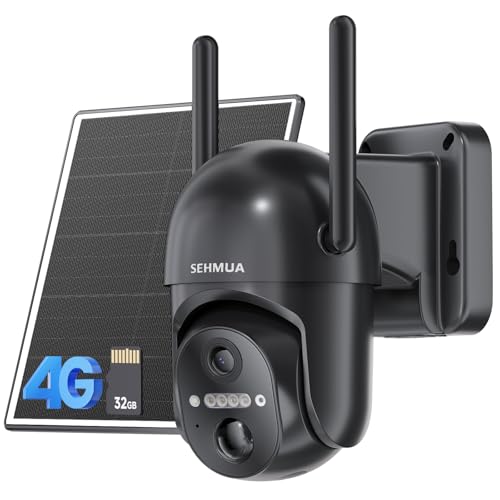
Welcome to MediaBoxEnt! I’m Dario, and today we’ll dive into the latest in security technology: a 4G security camera that offers the flexibility to work anywhere in the world without relying on Wi-Fi. This innovative camera also comes with a solar panel, ensuring it remains charged and functional with minimal effort. Let’s explore the features, installation process, benefits, and potential drawbacks of this 4G 2K 360° security camera.
Benefits of 4G Security Cameras
Global Connectivity
One of the standout features of 4G security cameras is their ability to operate anywhere with a cellular signal. Unlike traditional Wi-Fi cameras, these cameras are not limited by the range of a wireless router, making them ideal for remote locations.
Easy Installation
Installing a 4G security camera is straightforward and quick. Simply attach the 4G antenna and solar panel, and you’re ready to go. This ease of installation is perfect for those who need a reliable security solution without the hassle of complex setup procedures.
Solar Power Advantage
The included solar panel ensures that the camera remains charged throughout the day. This eco-friendly power source is particularly useful for outdoor settings, where constant sunlight is available. Charging the camera fully before initial use is recommended for optimal performance.
Recommended Articles:
- Home Security Cameras: Solar 4G Cameras Unveiled
- Comprehensive Guide: Setting Up the Mini Spy Camera WiFi Wireless 1080p HD
- USB Charger Spy Cam Review: Full Features and Setup Guide
Ideal Uses for 4G Security Cameras
Wildlife Monitoring
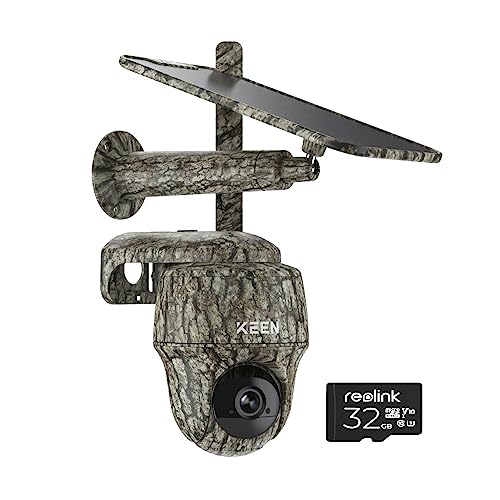
Thanks to its camouflage design, this 4G camera is perfect for monitoring wildlife. Whether you’re tracking animals for research or hunting, the camera’s discreet appearance helps it blend into natural surroundings.
Home and Business Security
This camera is also suitable for home and business security. Its 360° rotation and 2K resolution provide comprehensive coverage and clear images, ensuring you can monitor your property effectively.
Installation Guide
Step-by-Step Instructions
- Install the 4G Antenna: Attach the antenna to the camera. This step is crucial for ensuring a strong cellular connection.
- Attach the Solar Panel: Connect the solar panel to the camera using the provided long cable. Position the panel in a location that receives ample sunlight.
- Insert the Micro SD and SIM Card: The camera supports up to 128 GB of storage. Ensure the SIM card is fully inserted for proper operation.
- Initial Charging: Before deploying the camera, charge it fully using a computer or wall outlet.
App Configuration
- Download the App: Install the Reolink app on your smartphone.
- Add the Camera: Open the app, click on the camera icon, and scan the QR code on the camera to add it.
- Set Up the Camera: Follow the app’s instructions to complete the setup. This process includes configuring motion detection settings and notification preferences.
Camera Features
360° Rotation and Tilt
The camera offers full 360° rotation and tilting capabilities, allowing you to adjust the view as needed. This flexibility ensures no blind spots in your surveillance area.
Motion Detection and Notifications
The camera is equipped with motion detection, sending push notifications to your phone when movement is detected. This feature is crucial for timely alerts and effective monitoring.
Alarm and Audio Functions
The camera includes an alarm system and two-way audio. You can communicate through the camera, which is useful for deterring intruders or interacting with visitors.
Data Management
To conserve data and battery life, the camera is designed to record short clips (20-30 seconds) when motion is detected. This approach prevents excessive data usage and ensures the camera remains operational for longer periods.
Recommended Articles:
- Home Security Cameras: Solar 4G Cameras Unveiled
- Comprehensive Guide: Setting Up the Mini Spy Camera WiFi Wireless 1080p HD
- USB Charger Spy Cam Review: Full Features and Setup Guide
Performance and Recommendations
Optimal Usage
For best performance, ensure the solar panel receives at least six hours of sunlight daily. Avoid setting the camera to record continuously, as this can drain the battery and consume large amounts of data.
Data Plan
Choose a reliable data plan that suits your usage needs. The camera requires a data plan for 4G connectivity, so select one that offers sufficient data for video streaming and notifications.
Pros and Cons of 4G Security Cameras
Pros
Global Connectivity: Operates anywhere with a cellular signal, making it ideal for remote locations without Wi-Fi.
Easy Installation: Quick and straightforward setup with minimal technical expertise required.
Solar Power: The included solar panel ensures continuous power, reducing the need for frequent manual charging.
Comprehensive Coverage: The 360° rotation and 2K resolution provide wide and clear surveillance coverage.
Motion Detection and Notifications: Immediate alerts for detected movement, enhancing security responsiveness.
Two-Way Audio and Alarm: Useful for communication and deterring intruders.
Cons
Data Plan Required: Requires a reliable data plan for 4G connectivity, which can add to the ongoing costs.
Limited Recording Time: To conserve data and battery, the camera records in short clips, which may not capture all necessary footage.
Solar Dependency: Requires sufficient sunlight to keep the camera charged, which can be a limitation in less sunny environments.
Initial Charging: Needs a full initial charge before use, which may be an extra step for some users.
Conclusion
The 4G 2K 360° security camera is a versatile and powerful tool for various surveillance needs. Its global connectivity, easy installation, and solar power capabilities make it an excellent choice for both remote and urban settings. Whether you’re monitoring wildlife, securing your home, or protecting your business, this camera delivers reliable performance.
Remember to check the links below for purchasing options and further details on the data plans we recommend. I’m Dario, and I’ll see you next time on MediaBoxEnt!
For additional information on related topics, visit:



AFFILIATED LINKS/ADVERTISING NOTICE All links are Affiliated where possible. When you click on links to various merchants posted here and make a purchase, this can result in me earning a commission from qualifying purchases.”; I am a participant in the Amazon Services LLC Associates Program, an affiliate advertising program designed to provide a means for sites to earn advertising fees by advertising and linking to AMAZON Sites (including, but not limited to Amazon US/UK/DE/ES/FR/NL/IT/CAN) Last update on 2026-01-05
Fantastic site Lots of helpful information here I am sending it to some friends ans additionally sharing in delicious And of course thanks for your effort
Uau, maravilhoso layout do blog Há quanto tempo você bloga para você fazer o blog parecer fácil A aparência geral do seu site é ótima, assim como o conteúdo
Não tenho certeza de onde você está conseguindo suas informações, mas é um bom tópico. Preciso passar algum tempo aprendendo muito mais ou entendendo mais. Obrigado pelas informações magníficas. Eu estava procurando essas informações para minha missão
obviously like your website but you need to test the spelling on quite a few of your posts Several of them are rife with spelling problems and I to find it very troublesome to inform the reality on the other hand Ill certainly come back again
мастерская айфонов