
This post may contain affiliate links. We may receive a small commission, at no cost to you, if you make a purchase.
Read Disclosure
Introduction
DMX controllers are pivotal for managing sophisticated lighting systems in events and productions. This comprehensive guide will teach you how to program DMX controllers with varying channel counts, utilize scenes and banks effectively, and synchronize your lighting devices seamlessly. Our instructions are based on two detailed explanatory videos designed to enhance your understanding.
What is DMX and Why is it Important?
DMX512 (Digital Multiplex) is a standard protocol used for digital communication networks that are commonly employed to control stage lighting and effects. With the capability to manage multiple devices using a single controller, DMX is indispensable for any production that requires intricate and professional lighting setups.
Types of DMX Controllers
512-Channel Controller
The 512-channel DMX controller offers extensive control over numerous devices, making it ideal for large installations. With 512 channels, you can manage detailed functionalities for each connected device, ensuring precise control over complex lighting arrangements.
192-Channel Controller
The 192-channel DMX controller is more compact and suitable for smaller setups. Despite having fewer channels, it provides precise control over multiple devices, making it a practical choice for smaller-scale events or installations where extensive control is not required.
How to Program a DMX Controller
Basic Concepts
Channels and Fixtures
- Channels: Each DMX channel manages a specific function of a device. For instance, an RGB light typically uses three channels, one for each primary color (red, green, and blue).
- Fixtures: These refer to the individual devices connected to your DMX controller, such as lights, smoke machines, and strobe lights.
Scenes and Banks
- Scenes: These are predefined states of your fixtures. For example, Scene 1 might set all lights to red, while Scene 2 might change them to blue.
- Banks: Banks are collections of scenes. A typical DMX controller might have multiple banks, each capable of storing numerous scenes for organized control.
Step-by-Step Guide to Programming
- Set Up Your Devices
- Connect all DMX-compatible devices to the controller.
- Ensure each device is assigned a unique DMX address to avoid conflicts.
- Understanding the Controller Layout
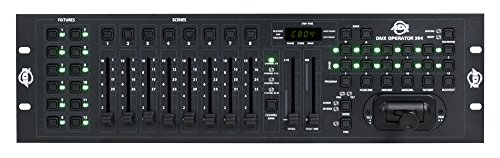
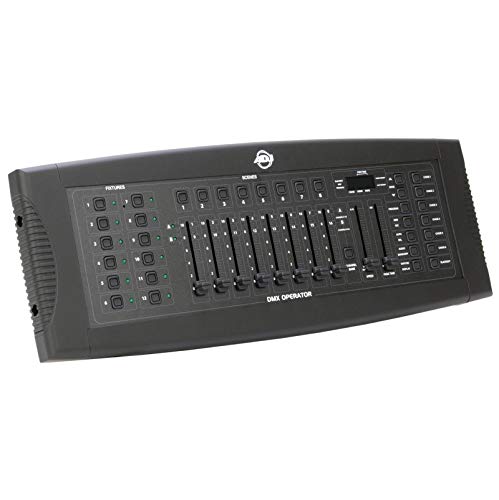
- Familiarize yourself with the controller’s layout, including the buttons for selecting fixtures, channels, and programming scenes.
- Programming Scenes
- Select the fixture you wish to program.
- Adjust the channels to achieve the desired effect (e.g., color, brightness).
- Save the scene to a specific scene button on the controller.
- Using Banks
- Organize your scenes into banks for easy access during performances.
- Switch between banks to quickly change the lighting setup during live events.
- Creating Chases
- A chase is a sequence of scenes that run automatically in a specific order.
- Program chases by selecting the sequence of scenes and setting the timing for each scene.
- Testing and Adjustments
- Test your programmed scenes and chases to ensure they operate smoothly.
- Make any necessary adjustments to refine transitions and achieve the desired effects.
Advanced Tips
Synchronizing with Music
Many DMX controllers include a built-in microphone or audio input that allows synchronization of lighting effects with music. Utilize this feature to enhance the ambiance and impact of live performances.
Wireless Control
Some DMX controllers support wireless control, enabling you to manage your lighting setup remotely. Ensure your controller and devices are compatible with wireless DMX for flexible and convenient control.
Troubleshooting Common Issues
- Devices Not Responding
- Verify all connections and ensure each device has a unique DMX address.
- Confirm that the controller is set to the correct mode and configuration.
- Unwanted Light Behavior
- Check for overlapping addresses and resolve any conflicts.
- Reset and reprogram the problematic scenes or chases as needed.
Conclusion
Mastering DMX programming can initially seem challenging, but with practice, it becomes more intuitive. By following this comprehensive guide and understanding the fundamental concepts, you’ll be able to create dynamic and professional lighting setups for any event.
Watch Our Tutorial Videos
For detailed visual instructions, check out our tutorial videos:


AFFILIATED LINKS/ADVERTISING NOTICE All links are Affiliated where possible. When you click on links to various merchants posted here and make a purchase, this can result in me earning a commission from qualifying purchases.”; I am a participant in the Amazon Services LLC Associates Program, an affiliate advertising program designed to provide a means for sites to earn advertising fees by advertising and linking to AMAZON Sites (including, but not limited to Amazon US/UK/DE/ES/FR/NL/IT/CAN) Last update on 2026-03-30
Fantastic site Lots of helpful information here I am sending it to some friends ans additionally sharing in delicious And of course thanks for your effort
obviously like your website but you need to test the spelling on quite a few of your posts Several of them are rife with spelling problems and I to find it very troublesome to inform the reality on the other hand Ill certainly come back again